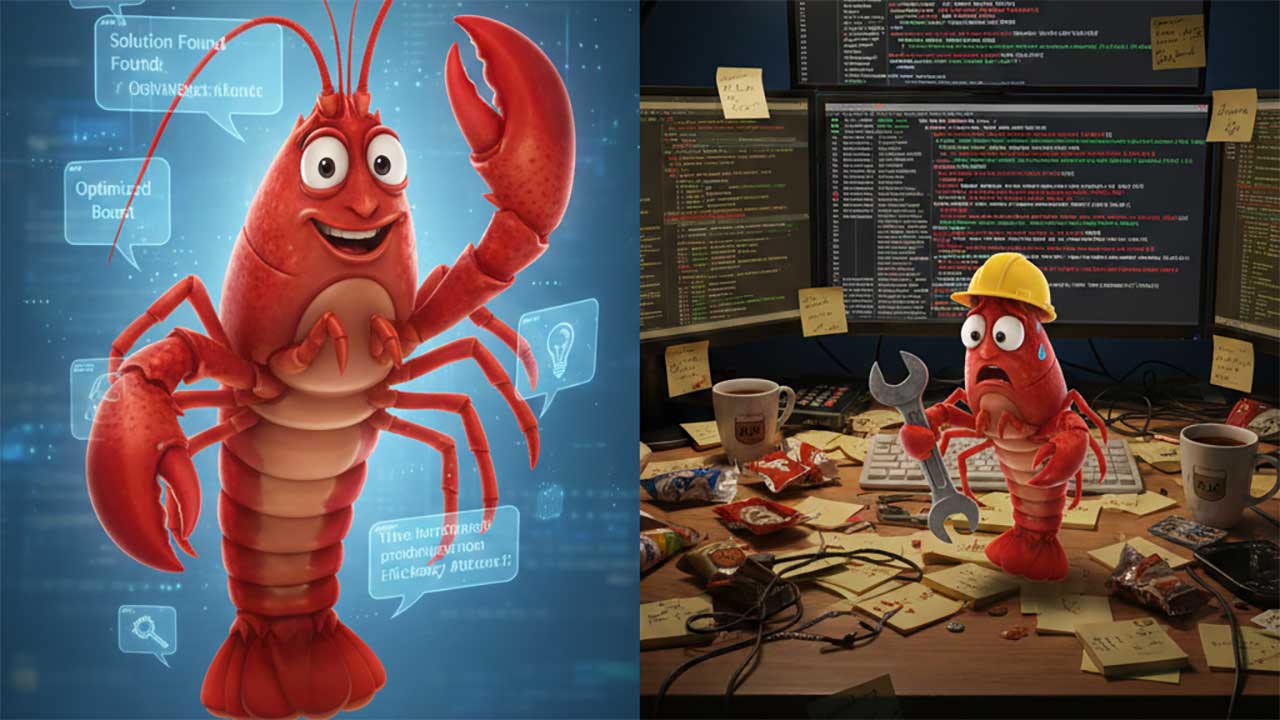
I spent the past week with ClawdBot (formerly called MoltBot, now called OpenClaw) an AI assistant that runs 24/7 on my own infrastructure. The project involved a cloud server, a Mac mini, VPN networking, multiple OAuth integrations, and enough troubleshooting to fill a graduate seminar. The assistant now works beautifully. Getting there was harder than anyone on social media is admitting.
OpenClaw is an open-source gateway that connects AI models to the messaging platforms you already use: WhatsApp, Telegram, Slack, Discord, Signal, iMessage. Instead of opening a browser tab to talk to an AI, you message it the same way you message anyone else. It responds in your existing threads, has access to tools you configure, and maintains memory across conversations.
The GitHub stars are climbing. Discord is buzzing. Tech influencers are posting screenshots with captions like “finally free from ChatGPT’s limitations.” What they are not posting is the hours they spent debugging OAuth token expiration at 3am.
Three Deployment Paths
There are three ways to run OpenClaw. Each has tradeoffs the hype cycle ignores.
Cloud server. Always on, does not depend on your home network. But headless servers have no display, which breaks OAuth flows that expect a browser. Every service that assumes a human is sitting at a keyboard becomes a puzzle to solve programmatically. This is where I started. A VPS (virtual private server) on Google Cloud. It’s cost effective, safe, and if need be, ephemeral.
Dedicated local hardware. Privacy-first, keeps everything on your network. But local hardware needs babysitting. Dialog boxes pop up. System updates request approval. Without remote access infrastructure (Tailscale is my goto for this), you cannot respond to these prompts when away from the machine. My solution was a dashboard to monitor what the OpenClaw/Mac mini system was doing in real time. Also, since your agent now has a physical home in your home, you are going to have to make some security decisions about auto-login with and without password protection.
Your main computer. The documentation uses the phrase “if you’re insane” to describe this option. Your assistant dies when your computer sleeps, competes for resources with your actual work, and if the agent misbehaves, it misbehaves on the machine where you run your life. Do not do this.
The Integration Gauntlet
Making OpenClaw useful requires integration with services you actually use. Google Workspace needs OAuth credentials from Cloud Console, which means creating a project, enabling APIs, configuring consent screens, and managing token refresh. Slack requires creating an app with appropriate scopes and configuring webhooks. GitHub requires Personal Access Tokens with specific permissions.
Every integration has its own authentication model, its own failure modes, and its own documentation quality. The assistant cannot help you configure these integrations because it does not exist until you configure them. You can, of course, use Claude Code, Gemini, or Codex to configure everything for you, but it’s still going to take time and effort.
The bootstrap problem is a bit of a roadblock today. But I would not be surprised if a “real” one-click install surfaced by the time you read this article. There are simply too many engineers who, like me, are fascinated by this bright, new, very shiny object.
The Payoff
After the installation gauntlet, OpenClaw works exactly as advertised.
I communicate with it on Slack, iMessage, WeChat, and Discord. It responds with context from previous conversations. It checks my calendar, searches my email, reads files from Google Drive, and executes commands on remote servers. It maintains memory that persists across sessions (this takes some additional configuration).
The experience is qualitatively different from browser-based AI. The assistant feels present in my communication environment rather than siloed in a separate application. Conversations happen naturally, in the flow of other work.
When I felt I needed a Kanban board to monitor what OpenClaw was doing, I explained the problem in two sentences. OpenClaw suggested the solution then said, “PRD? We don’t need no stinkin’ PRD,” and built the app in three minutes. That moment felt like the future.
It’s An Open Source Demo. That’s OK.
Open source doesn’t mean “amateur hour,” it means “owner’s hour.” Linux is open source. So are TensorFlow, Kubernetes, React, and VS Code. Commercial vendors abstract away the infrastructure, open source gives you the keys to the kingdom, provided you’re prepared to drive.
The Cost Nobody Mentions
Lastly, I burned through over $250 in Anthropic API tokens getting OpenClaw installed and configured. That was before the assistant did anything useful. The installation process requires an AI to help you debug an AI, and every failed OAuth attempt, every misconfigured webhook, every “why isn’t this working” conversation costs money. Once running, real usage with Claude Opus 4.5 costs $10-25 per day depending on how actively you use it. Reddit users have estimated $300-750 per month for the “proactive personal assistant” experience the project markets.
The alternative is using a Claude Max subscription ($200/month), which likely violates Anthropic’s terms of service for automated access. One Reddit thread is titled “Clawdbot/Moltbot Is Now An Unaffordable Novelty.” There’s no free tier here. This is infrastructure with ongoing operational costs.
I’m testing OpenClaw with Claude Code, Codex, and Gemini. Each OpenClaw instance will work on the same project with the same prompts at the same time. I’ll know at the end of the week what each costs to run. One thing is for sure, this bot just burns through tokens.
That said, if learning the value of agentic tools is important to you, consider the cost of OpenClaw “tuition” for a crash course in human/machine partnerships. Through that lens, it’s the highest return on investment you’re likely to achieve this year.
Author’s note: This is not a sponsored post. I am the author of this article and it expresses my own opinions. I am not, nor is my company, receiving compensation for it. This work was created with the assistance of various generative AI models.
About Shelly Palmer
Shelly Palmer is the Professor of Advanced Media in Residence at Syracuse University’s S.I. Newhouse School of Public Communications and CEO of The Palmer Group, a consulting practice that helps Fortune 500 companies with AI strategy, implementation and governance, as well as technology, media and marketing. Named one of LinkedIn’s Top Voices in Technology, he is a bestselling author, covers tech and business for Fox 5’s Good Day New York, is a regular commentator on CNN, and writes the popular daily business blog Think About This. Follow @shellypalmer or visit shellypalmer.com.