
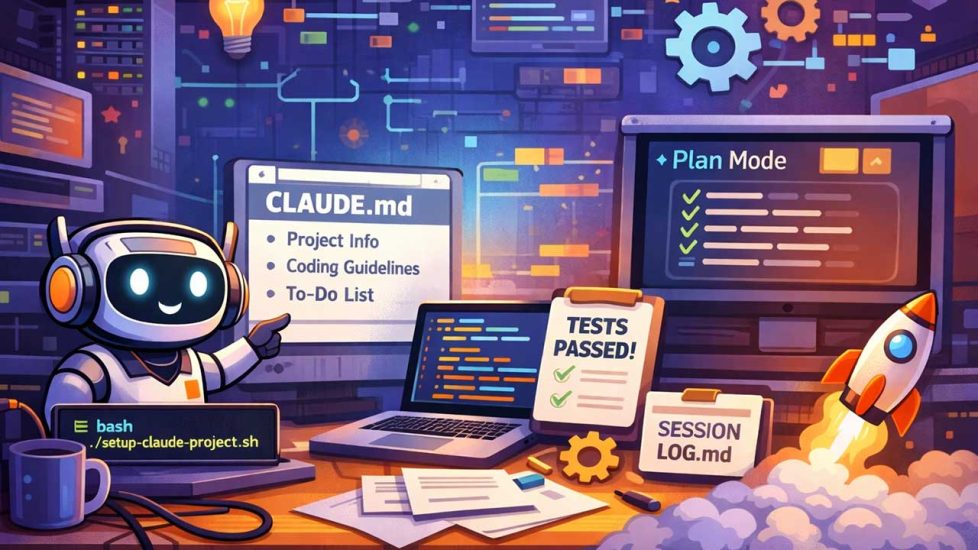
Anthropic’s Claude Code CLI (command line interface) has become one of my primary development tools. After six months of daily use across dozens of client projects, I have refined a setup process that transforms Claude from a capable assistant into a genuine collaborator. A properly configured Claude Code remembers your preferences, understands your codebase, and knows exactly how you like things done.
If you want to learn how to install Claude Code CLI on your computer, click here.
Boris Cherny, who created Claude Code at Anthropic, recently shared his own workflow. His setup is, in his words, “surprisingly vanilla.” He notes that “Claude Code works great out of the box,” and emphasizes that “there is no one correct way to use Claude Code.” For teams, client engagements, and multi-session work with complex codebases, a bit of structure amplifies these out-of-the-box capabilities.
Verification Loops
Boris calls this “probably the most important thing to get great results out of Claude Code: give Claude a way to verify its work. If Claude has that feedback loop, it will 2-3x the quality of the final result.”
Tests, linters, type checkers, and deployment scripts with health checks are force multipliers for AI-assisted development. When Claude runs a test suite and sees failures, it fixes them. When it deploys and checks that the endpoint responds, it catches configuration errors. Verification shifts your role from reviewing every line to reviewing outcomes.
The CLAUDE.md File
Claude loads CLAUDE.md automatically at the start of every session. Think of it as your permanent instructions document.
Boris’s team at Anthropic treats their CLAUDE.md as a living document. They check it into git, and the entire team contributes to it multiple times a week. “Anytime they see Claude do something incorrectly, they add it to the CLAUDE.md, so Claude knows not to do it next time.” During code review, Boris often tags @claude on coworkers’ pull requests to add corrections to CLAUDE.md as part of the PR itself.
CLAUDE.md is institutional memory that grows smarter with every mistake Claude makes. Mine typically includes:
- Project overview and architecture
- Tech stack with version numbers
- Database schema highlights
- Key conventions and coding standards
- Common commands and workflows
- Deployment procedures
- Security considerations and boundaries
Be specific. Instead of “We use a database,” write “PostgreSQL 15 with pgvector extension, hosted on Google Cloud SQL, connection via psycopg2.” The more detailed you are, the more useful Claude becomes.
The Setup Script
I have open-sourced a shell script that creates a complete project structure in seconds. Download it from github.com/s220284/claude-code-setup or run it directly:
curl -O https://raw.githubusercontent.com/s220284/claude-code-setup/main/setup-claude-project.sh

chmod +x setup-claude-project.sh

./setup-claude-project.sh
The script generates documentation templates, configuration files, and examples. Customize CLAUDE.md with your project specifics and commit it to your repository.
Plan Mode
Boris says that “most sessions start in Plan mode.” You access it by pressing shift+tab twice. In Plan mode, Claude explores your codebase and designs an implementation approach before writing any code.
His workflow: “If my goal is to write a Pull Request, I use Plan mode, going back and forth with Claude until I like its plan. From there, I switch into auto-accept edits mode and Claude can usually 1-shot it.”
Planning before coding reduces wasted iterations. Claude’s plans surface assumptions you can correct before they become bugs. For complex features, I spend more time in planning than in implementation.
Session Continuity
For multi-session projects, two additional files maintain context across days or weeks:
PROJECT_STATE.md tracks what is running, what is deployed, what version is live, and what dependencies exist. When you return after time away, this file tells Claude exactly where things stand.
SESSION_LOG.md maintains a running history: what was accomplished, what decisions were made, what comes next. This creates institutional memory that survives context window limits.
Update SESSION_LOG.md at the end of each session. This takes two minutes and saves twenty minutes of re-explanation next time.
Custom Commands
Claude Code supports slash commands for repetitive workflows. Boris uses them constantly: “I use slash commands for every ‘inner loop’ workflow I do many times a day. The /commit-push-pr command runs dozens of times daily.”
Commands live in .claude/commands/ and are checked into git. The setup script includes an example /commit command. You can create commands for any repeatable process:
/deployfor production deployments/testfor running test suites/reviewfor code review checklists/backupfor database backup procedures
Each skill is a markdown file with instructions. Claude executes them when you invoke the command.
Subagents
Claude Code can spawn specialized subagents for different tasks:
- Explore agents for codebase navigation and search
- Plan agents for designing implementation approaches
- Bash agents for command execution
- General-purpose agents for complex multi-step tasks
My setup script includes documentation explaining when to use each type and how to structure prompts for optimal results.
Model Selection
On model choice, Boris is direct: “I use Opus 4.5 with thinking for everything. It’s the best coding model I’ve ever used, and even though it’s bigger and slower than Sonnet, since you have to steer it less and it’s better at tool use, it is almost always faster than using a smaller model in the end.”
I use Opus for complex architectural work and Sonnet for routine tasks. Haiku handles quick lookups and simple queries. Steering a smarter model less often beats steering a faster model constantly.
The Business Case
GitHub research shows developers complete tasks 55% faster with AI coding assistants. A UK Government trial quantified this as 56 minutes saved per day. Proper configuration (CLAUDE.md, verification loops, plan mode discipline) captures an additional 30 minutes by eliminating repeated context-setting and reducing failed iterations. Across a five-person team over a year, that represents over 600 hours of additional productivity.
These gains compound. Boris’s “inner loop” workflows (the /commit-push-pr commands run dozens of times daily) deliver immediate velocity. The CLAUDE.md living document creates an outer loop where every correction makes future sessions more productive. Over months, the system gets smarter without additional effort.
I have implemented this setup across client organizations ranging from three-person startups to Fortune 500 technology teams. The feedback is consistent. Once configured properly, Claude Code feels less like a tool and more like a team member who actually read the documentation.
Getting Started
The complete setup script and detailed documentation are available at:
- Script: github.com/s220284/claude-code-setup
- Documentation: s220284.github.io/claude-code-setup
Run the script, customize CLAUDE.md for your project, and commit it to your repository. Update it every time Claude makes a mistake you want it to learn from. Build verification into every workflow.
Treat Claude like a team member who needs onboarding, who learns from corrections, and who verifies their own work. That is what transforms a capable tool into a genuine agentic collaborator.
Author’s note: This is not a sponsored post. I am the author of this article and it expresses my own opinions. I am not, nor is my company, receiving compensation for it. Boris Cherny’s quotes are from his public X thread dated January 2, 2026. This work was created with the assistance of various generative AI models.